
Sandboxie Keeps Untrusted Windows Programs Inside a Disposable Box
Sandboxie runs browsers, installers and unfamiliar applications inside an isolated container, so every file and registry change stays sealed away from Windows. Test boldly, browse privately, then erase the entire session with a single, decisive click.

What Is Sandboxie?
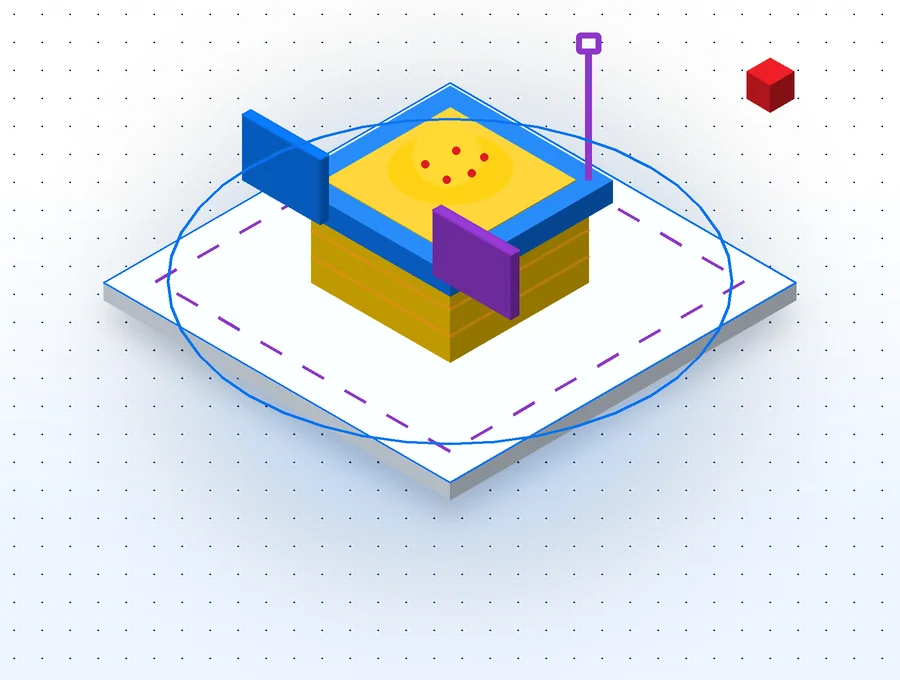
Sandboxie is an open-source isolation tool for Microsoft Windows that lets any program run inside a private, disposable layer of the system. Whatever the program writes lands in that layer rather than on your real disk or in your real registry, so a single command can return the computer to exactly the state it was in before.
A Proven Approach to Containing Software
Sandboxie first appeared on 26 June 2004, when developer Ronen Tzur released it as a way to run Internet Explorer in isolation. Over two decades it grew to cover practically every Windows application, passed through the hands of Invincea and then Sophos, and was released as open-source code in April 2020. Since then it has been maintained by David Xanatos, whose work on Sandboxie GitHub produces the two editions in use today: Sandboxie Plus, with a modern interface, and Sandboxie Classic, which preserves the original one.
The principle has never changed. A sandboxed program can still read the files it needs, but the moment it tries to modify something, Sandboxie hands it a private copy instead. Downloads, cookies, settings, installers and anything more sinister stay inside the box until you decide what to keep. Nothing is permanent unless you make it so.
- Contains file, registry and inter-process changes made by any boxed program
- Starts instantly, with no second operating system to boot or maintain
- Open source, actively developed and released as Plus and Classic editions
Key Features of Sandboxie
Sandboxie combines kernel-level enforcement with lightweight virtualisation, giving you strong containment without the weight of a virtual machine.
Disposable Sandboxes
Every box is simply a folder and a registry hive. Empty it and every trace of the session disappears at once, which makes Sandboxie ideal for software trials, risky downloads and short-lived browsing.
Multiple Isolated Boxes
Create as many boxes as you need and give each its own purpose: one for banking, one for testing, one for a second login. Programs in different boxes cannot see one another's files.
Hardened and Privacy Modes
Sandboxie Plus offers Security Hardened boxes that drop administrator rights and restrict devices, and Privacy Enhanced boxes that hide your personal folders from sandboxed programs entirely.
Snapshots and Auto-Delete
Save a box's state as a snapshot and roll back whenever you like, or let Sandboxie empty a box automatically the moment its last program closes.
Per-Box Network Rules
Built on the Windows Filtering Platform, network rules let you decide which boxes may reach the internet and which must stay offline, without touching your main firewall.
Controlled File Recovery
Immediate Recovery offers to rescue a file the moment it is saved to Downloads or Documents, while Quick Recovery lists what is worth keeping before a box is emptied.
How Sandboxie Works
Four layers of protection operate every time a program runs inside a box.
Programs start with almost no rights
When you choose Run Sandboxed, the Sandboxie driver launches the program with a heavily restricted access token. In that state it could barely function, which is precisely the point: the starting position is refusal, and access is restored selectively.
The driver enforces every rule
Sandboxie routes selected system calls through its kernel driver, SbieDrv. The driver inspects each request and applies the box's rules, so a sandboxed program cannot write outside its box or read anything you have deliberately closed.
Writes are redirected into the box
An injected library, SbieDll, merges your real files with the box's private copies. Reading an untouched file works normally; changing it creates a copy inside the box, leaving the original exactly as it was.
You decide what survives
When you have finished, recover the files you genuinely want and delete the rest. The box folder and its registry hive vanish, and Windows remains untouched by everything that happened inside.
How to Install Sandboxie on Windows
Installation takes a few minutes. Choose the edition that suits you, confirm your system type, and follow the matching route below. Administrator rights are required because Sandboxie installs a kernel driver.
# Check whether Windows is x64 or ARM64
Settings > System > About > System type

# Choose the matching Plus installer from the release
Sandboxie-Plus-x64-v1.18.8     # Intel and AMD PCs
Sandboxie-Plus-ARM64-v1.18.8   # Windows on ARM laptops

# Confirm the file is genuine (PowerShell)
Get-FileHash .\Sandboxie-Plus-x64-v1.18.8* -Algorithm SHA256

# Run the installer, accept UAC, keep the default folder
C:\Program Files\Sandboxie-Plus\

# Launch SandMan; DefaultBox is ready to use
Right-click any program > Run Sandboxed
# Classic is published for 64-bit Intel and AMD PCs
Sandboxie-Classic-x64-v5.73.8

# Verify the checksum before running it
Get-FileHash .\Sandboxie-Classic-x64-v5.73.8* -Algorithm SHA256

# Install, then open Sandboxie Control from the Start menu
# New options are set by editing the main configuration file

# Updating later and the installer misbehaves?
Uninstall the old build, keep the configuration file, reinstall
# The download on this page is the master-branch source archive
Sandboxie-master  # unpack it to any folder

# Core driver, service and injected DLL
Sandboxie-master\Sandboxie\

# The SandMan interface used by Sandboxie Plus
Sandboxie-master\SandboxiePlus\

# Building needs Visual Studio, the Windows Driver Kit and Qt.
# Ready-made installers are published on the project's releases page.
Use Cases of Sandboxie
Sandboxie earns its place wherever software deserves less trust than it asks for.
Safer Everyday Browsing
Run Edge, Chrome or Firefox sandboxed so that malicious pages, drive-by downloads and unwanted extensions never reach Windows itself.
Trying Unfamiliar Software
Install an application you are unsure about, judge it on its merits, then delete the box rather than wrestling with an untidy uninstaller.
Opening Suspicious Attachments
Open documents from unexpected senders inside a box, where anything they attempt is confined and disposable.
Separate Logins and Profiles
Keep two accounts for the same service open side by side, each in its own box with its own cookies and settings.
Clean Testing for Developers
Check how your own installer behaves on a fresh profile, and repeat the test instantly by restoring a snapshot.


Sandboxie Download
Sandboxie download links on portals are often several releases behind and frequently show only one of the project's two version numbers. The button below takes the current master-branch archive straight from Sandboxie GitHub, so the code you receive is exactly what the developer has published, with no repackaging and no detours.
This archive contains the source code. Compiled installers for Sandboxie Plus download and Sandboxie Classic are published alongside each release on the project's GitHub releases page.
Download Sandboxie (ZIP)Sandboxie vs Windows Sandbox vs a Virtual Machine
Each tool draws its boundary in a different place. Sandboxie contains individual programs on the Windows you already use; Windows Sandbox opens a throwaway desktop; a virtual machine runs a complete second computer.
| Capability | Sandboxie | Windows Sandbox | Virtual Machine |
|---|---|---|---|
| Isolates individual programs | |||
| Starts instantly | |||
| Uses the software you already have installed | |||
| Several separate environments at once | |||
| Keeps state between sessions | |||
| Works without hardware virtualisation | |||
| Available on Windows Home | |||
| Suitable for testing drivers or OS changes | ~ | ||
| Strongest possible boundary | ~ |
Windows Sandbox is limited to the Pro, Enterprise and Education editions and needs virtualisation enabled in the firmware. Many researchers combine the approaches, running Sandboxie inside a virtual machine to gain both detailed monitoring and an outer wall.
Sandboxie Troubleshooting
Because Sandboxie works deep inside Windows, the occasional conflict is inevitable. These are the problems users meet most often and the fixes that settle them.
An update refuses to install
Close every sandboxed program, uninstall the previous build while keeping the main configuration file, and install the new release. Your boxes and rules survive because they live in that file.
A program will not start in a box
Open the message log in SandMan and look up the SBIE code it shows. Enable any compatibility template offered for the program, and check whether the box is set to drop administrator rights.
A browser behaves oddly
Browsers change quickly, and recent releases fixed Firefox video playback and Chromium profile sharing. Updating Sandboxie to the latest stable build resolves most browser problems.
An Electron app crashes
Since version 1.17.4 Sandboxie detects Electron programs automatically. If one still fails, the log may suggest a SpecialImage rule for that application.
Sandboxie stops after a Windows update
The driver depends on internal Windows details that can shift, particularly in Insider builds. Install the newest Sandboxie release, which adds support for recent builds.
A saved file seems to be missing
Files saved inside a box stay in the box. Use Quick Recovery or browse the box's contents in SandMan to copy the file to its real location.
Sandboxie System Requirements
Sandboxie is light enough for almost any modern Windows PC. Check these points before you install.
Operating System
- Windows 11 (all current builds)
- Windows 10, 64-bit
- Windows Home, Pro and Enterprise
- Windows 7 treated as legacy only
- No 32-bit builds since the 1.16 series
Hardware
- x64 processor from Intel or AMD
- ARM64 processor for Plus on ARM
- No hardware virtualisation required
- Around 25 MB for the Plus installer
- Extra disk space as boxes fill up
Permissions
- Administrator rights to install
- UAC prompt approval for the driver
- Standard accounts can use boxes afterwards
- Internet access to fetch certificates
- Security software that allows the signed driver
Sandboxie (64-bit) Builds at a Glance
- Plus x64 installer
- Plus ARM64 installer
- Classic x64 installer
- SHA-256 checksums published with every release
- Stable builds digitally signed
Is Sandboxie Safe to Use?
Sandboxie is open source, digitally signed and developed in public view, with every change recorded on GitHub. Recent releases also closed a series of vulnerabilities, including CVE-2026-32603, and the 1.19.0 pre-release completes a broad security audit of the driver and service. Used sensibly, it is a valuable additional layer of defence.

Use the Original Source
Take Sandboxie from its official GitHub project and compare the SHA-256 checksum. Repackaged copies on portals add a needless middleman.
Mind What Boxes Can Read
A standard box blocks changes, not reading. If a program should not see your documents, choose a Privacy Enhanced box.
Scan Before Recovering
Recovering a file moves it out of the box and onto your real system. Treat that moment as a security checkpoint.
Keep Other Defences On
Sandboxie contains software but does not judge it. Keep Microsoft Defender or your preferred antivirus running alongside it.
Sandboxie Pros and Cons
No security tool is right for every task. Weigh these strengths and limitations against the way you work.
Advantages
- Contains changes from any Windows program, not just browsers
- Starts instantly and uses the software already installed
- Unlimited separate boxes for different tasks and identities
- Open source with frequent releases and public changelogs
- Runs on Windows Home without hardware virtualisation
- Snapshots, recovery tools and network rules included at no cost
Limitations
- Weaker boundary than a full virtual machine
- Standard boxes still allow programs to read most files
- Some features need a paid supporter certificate
- Business and educational use of Plus requires a Business certificate
- Windows updates occasionally break compatibility until Sandboxie catches up
- Games with anti-cheat and driver-level tools rarely run sandboxed
Frequently Asked Questions
Clear answers to the questions people ask most often about Sandboxie.
What is Sandboxie used for?
Sandboxie runs Windows programs inside an isolated box so they cannot make permanent changes to your files or registry. People use it for safer browsing, testing unfamiliar software and keeping separate profiles of the same application.
Is Sandboxie still developed?
Yes. Since Sophos released the source code in April 2020, David Xanatos has maintained Sandboxie on GitHub, publishing frequent releases. The current stable build is Plus 1.18.8, which is the same release as Classic 5.73.8.
Is Sandboxie available at no cost?
Sandboxie is open source and both editions can be used for personal, non-commercial purposes without paying. A supporter certificate unlocks some newer Plus features, and commercial or educational use of Plus requires a Business certificate.
Which edition should I download?
Most people should choose Sandboxie Plus, which receives every new feature through its modern SandMan interface. Sandboxie Classic shares the same core and security fixes but keeps the older interface and suits long-standing users.
Does Sandboxie support 64-bit and ARM PCs?
Current releases are 64-bit only. Plus is published for x64 and ARM64 processors, while Classic is published for x64. The 32-bit builds were retired during the 1.16 series.
What does the download on this page contain?
The button downloads the master-branch archive from the official GitHub project, which contains the source code. Ready-made installers are published alongside each release on the project's GitHub releases page.
How do I run a program sandboxed?
Right-click the program or its shortcut and choose Run Sandboxed, then pick a box. The window title gains [#] marks and a coloured border, which confirms that the program is running inside the box.
How do I keep a file downloaded in a box?
Use Immediate Recovery when Sandboxie offers it, or Quick Recovery before you empty the box. Both copy the chosen file out of the sandbox to its real location.
Can a program start in a box automatically?
Yes. Add it as a forced program in the box's settings and Sandboxie will place it in that box whenever it is launched outside one.
Can malware escape Sandboxie?
Sandboxie blocks the overwhelming majority of harmful changes, but no sandbox is a perfect boundary. Keep Sandboxie updated, use hardened boxes for distrusted software and keep your antivirus running.
Does Sandboxie replace antivirus software?
No. Sandboxie contains what a program does without deciding whether it is malicious. It works best alongside a conventional antivirus product.
Can sandboxed programs read my documents?
In a standard box they can read most files but cannot change them. A Privacy Enhanced box prevents sandboxed programs from reading your personal folders at all.